BitLocker Bypass Exploited via Windows Defender Offline Scan
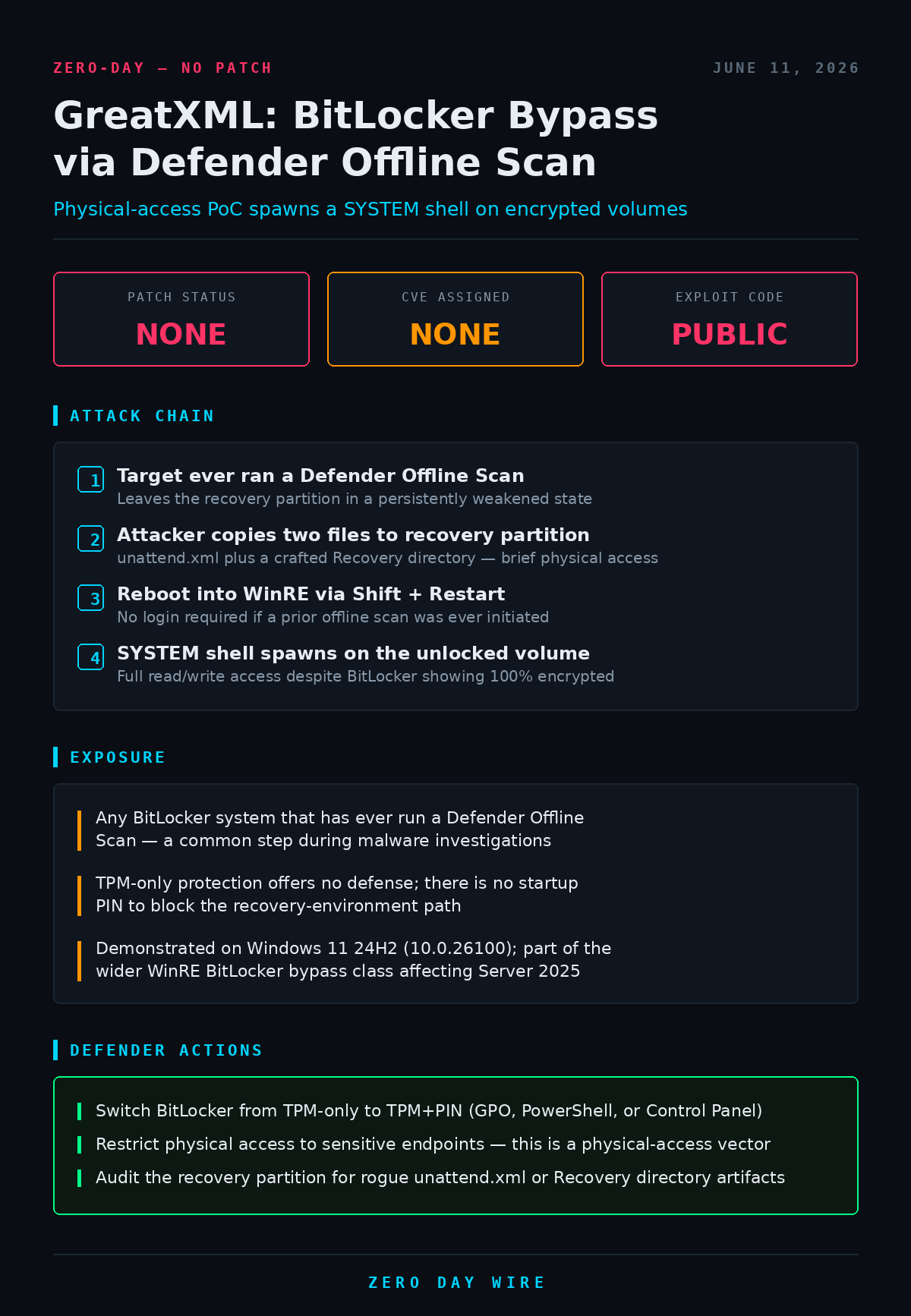
A public PoC named GreatXML bypasses BitLocker on Windows systems that have ever run a Defender Offline Scan. With brief physical access, an attacker copies two files to the recovery partition, reboots into WinRE, and gets a SYSTEM shell on the encrypted volume. No patch, no CVE.


A working proof-of-concept published June 10 defeats BitLocker full-disk encryption on Windows by abusing an interaction between Microsoft Defender's Offline Scan feature and the Windows Recovery Environment. Dubbed GreatXML, the exploit needs only brief physical access to the target machine and drops the attacker into a SYSTEM-level shell with full read/write access to the encrypted volume — while BitLocker continues to report the drive as fully protected.
The technique hinges on a persistent weakening of the recovery partition. Any Windows machine on which a Defender Offline Scan has ever been initiated — a routine step during malware investigations — is left in a vulnerable state indefinitely, with no authentication required to exploit it afterward.
How the bypass works
A Defender Offline Scan reboots the system into a pre-boot WinRE state to scan the disk before the OS loads. GreatXML weaponizes that transition. An attacker copies a crafted unattend.xml and a Recovery directory to the root of the recovery partition, then reboots into WinRE by holding Shift while clicking Restart. If everything is in place, WinRE spawns an unrestricted shell against the BitLocker-protected C: volume. Screenshots in the PoC show an X:\Windows\System32 administrator prompt during a Defender Offline Scan session, with manage-bde -status C: confirming the drive is 100% encrypted with XTS-AES 128 and protection on — yet fully readable.
There are two paths. If the machine has ever run an offline scan, exploitation is immediate and needs no login. If it hasn't, the attacker must trigger the scan themselves after logging in, or boot into WinRE in the offline-scan state without authentication — which the researcher believes is achievable but hasn't fully demonstrated.
TPM-only offers no protection
The bypass works regardless of TPM-only key protection, the common enterprise default that unlocks the drive automatically at boot with no startup PIN. Because the recovery-environment path never prompts for a key, there's nothing for TPM-only to stop. The PoC was demonstrated on Windows 11 24H2 (build 10.0.26100), and the mechanism places it in the same WinRE-based bypass class as the recently patched YellowKey (CVE-2026-45585), which also routed through the recovery environment to reach encrypted volumes.
No patch, no CVE — and that's deliberate
GreatXML carries no CVE and has no fix, because it wasn't reported to Microsoft before release. It's the latest in a rapid string of uncoordinated disclosures from a researcher operating as Chaotic Eclipse / Nightmare Eclipse, who has dropped public exploits including BlueHammer (CVE-2026-33825), UnDefend (CVE-2026-45498), RedSun (CVE-2026-41091), YellowKey, GreenPlasma, and — one day before GreatXML — the RoguePlanet Defender privilege-escalation zero-day. The releases reportedly stem from a dispute with Microsoft's vulnerability-reporting process. The practical consequence for defenders: the PoC is already mirrored across GitHub and independent Git hosts, and more uncoordinated drops from this source are likely, so waiting for a Patch Tuesday fix is not a viable posture here.
Action Items
The mitigation is a configuration change available today, independent of any Microsoft patch. Move BitLocker from TPM-only to TPM+PIN so the drive demands a PIN at startup and the recovery-environment path can't reach an auto-unlocked volume. Tighten physical security on laptops and other endpoints holding sensitive data, since the entire attack depends on hands-on access or the ability to write to the recovery partition. And audit recovery partitions for unexpected unattend.xml files or modified Recovery directories, which are the on-disk fingerprints of this technique.